
Returning players use this single account route for the GBP cashier, games, promotions and personal details. A separate mobile profile is unnecessary, and changing devices does not create another balance. The safest starting point is a known website address rather than a link delivered through an unsolicited message.
Fish and Spins welcome offer£750 bonus + 100 free spins · 18+ · Terms apply
Visit Fish and SpinsFish and Spins login essentials
The account process uses familiar credentials, but each element has a distinct purpose. This overview shows where access begins and which matters require account support.
| Login item | Fish and Spins arrangement |
|---|---|
| Entry point | Login control in the Fish and Spins website header |
| Credentials | Registered email address and password |
| Recovery | Password reset link inside the login panel |
| Compatible devices | Desktop plus iOS and Android browsers |
| Account currency context | GBP for British players |
| Verification | May arise before withdrawal or during an account check |
| Account-specific assistance | Fish and Spins help channel |
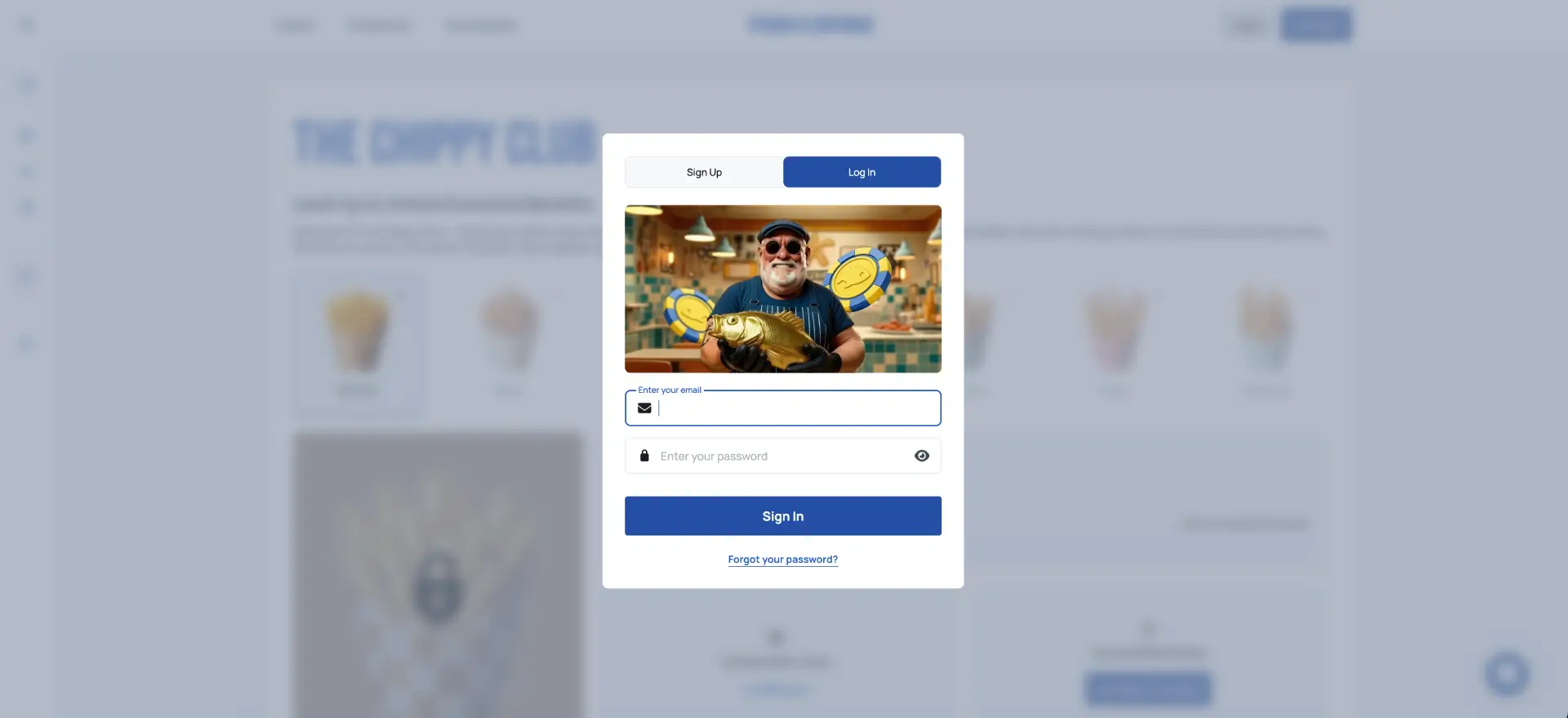
How to log in on a computer
A successful Fish and Spins login should lead from the header panel to the account dashboard. Complete the sequence without opening duplicate login windows, as competing sessions can make it harder to tell whether the account has loaded.
- Enter the known Fish and Spins web address in the browser.
- Select the login control displayed in the header.
- Type the email address used when the account was created.
- Enter the matching password, respecting capital letters and symbols.
- Complete any account security prompt that appears.
- Wait for the dashboard to display before entering games or the cashier.
New users must register before these credentials exist, using accurate personal information that can be supported during later account checks. Once signed in, confirm that the displayed account details and GBP balance belong to the expected profile before making any payment.
A password manager can reduce typing errors and help keep the casino password distinct from email or banking credentials. It should be protected by a strong master password and used only on a private device. Browsers on shared machines should not retain the sign-in.
Password reset and recovery
Forgotten credentials should be handled with the reset option built into the Fish and Spins login window. Support agents do not need to receive the existing password, and no legitimate recovery process should ask for it in chat or email.
- Open the normal login panel.
- Select its password recovery link.
- Supply the email address registered to the casino account.
- Check the inbox for the recovery message and review its destination before following it.
- Create a new password that is not used for another service.
- Return to the casino website and sign in with the replacement credential.
If a reset message does not arrive, check spam filtering, wait for the initial request to complete and ensure the correct account email was entered. Repeating requests rapidly can leave several links in the inbox, with older ones no longer useful. Start again from the login panel if there is any doubt about the message.
Loss of access to the registered email address is different from a forgotten password. In that situation, the Fish and Spins help channel must establish the account holder’s identity. An independent guide cannot change contact information, view an account or issue a recovery email.
Mobile sign-in on iPhone and Android
The same email-and-password process runs in a phone browser. Fish and Spins is browser-based on iOS and Android, so users do not need an installed application to reach the account. Details of browser compatibility and shortcuts appear in the Fish and Spins mobile guide.
For reliable mobile access, load the website in Safari, Chrome, Firefox or another current browser and use the header login control. A browser-created home-screen icon can shorten the route, but it remains a web shortcut. Do not install a file that claims to be necessary for sign-in.
- Use a private mobile connection for credentials and cashier activity.
- Allow the dashboard to finish loading before changing sections.
- Keep the operating system and browser updated.
- Avoid saving credentials on a borrowed phone or tablet.
- Sign out through the account menu rather than merely closing the tab.
Private browsing can discard cookies when the window closes, which may explain repeated sign-in prompts. Ordinary browser mode is more convenient on a trusted device, while a shared device should not preserve account state at all.
Fixing Fish and Spins access problems
Login faults usually fall into one of four groups: credential errors, browser behaviour, connection trouble or an account restriction. Changing one factor at a time makes the cause easier to isolate.
| Symptom | Likely area | Useful response |
|---|---|---|
| Email or password rejected | Credentials | Check spelling and capitalisation, then use password recovery |
| Panel does not respond | Browser | Reload once, review blocking extensions or try another supported browser |
| Page stops during loading | Connection or cached session | Use a stable connection and start a fresh browser session |
| Account reports a restriction | Account status | Contact the Fish and Spins help channel |
| Reset message is absent | Email delivery or wrong address | Check filtered folders and confirm the registered email |
| Withdrawal area requests documents | Verification | Follow the secure account instructions and submit readable files |
Clearing all browser data should not be the first response because it signs the user out of other services and removes useful preferences. Try a private window or another supported browser as a temporary diagnostic. If that works, clear only the relevant website data before returning to the preferred browser.
An explicit account block cannot be solved by opening more accounts. The support channel is the appropriate route because only Fish and Spins can view the status and explain the required next action. Do not pay a third party that claims it can restore access.
Verification and the GBP cashier
Verification is commonly linked to withdrawals or other account checks rather than routine entry on every visit. Fish and Spins may request evidence of identity, address or the payment method associated with the account. Names and personal details should agree with the information entered at registration.
Submit files through the protected account area when prompted. A document image should be complete, readable and current enough to meet the stated request. Sending identity documents through social messages or to an address provided by an unknown intermediary creates an unnecessary exposure.
After login, the cashier can show Visa, Maestro, Mastercard, bank transfer and selected cryptocurrencies. The account uses a UK GBP context, with a 20 GBP minimum deposit stated in the casino terms. Withdrawal details and bank timing belong to the broader Fish and Spins Casino overview; the key login point is that cashier access should occur only after confirming the correct profile has loaded.
Account security checklist
Security is strongest when the casino account, registered email and device are protected together. A secure casino password is less effective if the associated inbox can be entered easily.
- Create a unique password rather than reusing one from another site.
- Protect the registered email account and review its recovery settings.
- Never share a reset link, password or full payment details.
- Verify the web address before entering credentials.
- Keep identity documents inside the designated verification process.
- Review account and cashier activity after any unexpected sign-in issue.
- Log out on devices accessible to another person.
If credentials were entered into a suspicious page, change the casino password through the genuine account route and secure the registered email as well. Contact the Fish and Spins help channel if account details, balance or transactions appear unfamiliar.
What becomes available after login
The dashboard joins gameplay and account management under one profile. A user can reach the slot lobby, the GBP cashier, active promotions, verification tools and account details without creating a second identity for each device.
Discover, Slots, Table Games and All Games organise browsing. Promotion entries include the welcome package, tournament panels and VIP activity; the Fish and Spins bonus guide explains why each offer’s live conditions should be read separately. Visible games and category browsing are covered in the casino slots guide.
This centralised access is also why sign-out matters. Closing a game does not necessarily end the account session, especially when the dashboard remains open in another tab. Use the account logout control and close the browser on a shared device.
Fish and Spins is neither licensed by the UK Gambling Commission nor included in GamStop. Account access should be limited to adults aged 18 and over, and logging in should never become an automatic response to stress or losses. Set time and deposit boundaries before a session, then use the responsible gambling resources or BeGambleAware if gambling is becoming difficult to control.
Fish and Spins Casino login FAQ
These concise answers address returning-account access, mobile use and recovery without exposing sensitive information.
How does the Fish and Spins Casino login work?
Open the login control in the Fish and Spins website header, then enter the registered email and password. Wait for the account dashboard before opening the cashier or casino games.
Can the same login be used on a phone?
Yes. The account works through iOS and Android browsers as well as desktop. There is no need to create a separate mobile profile or install a native app.
What should happen if the password is forgotten?
Use the password reset link inside the login panel and follow the message sent to the registered email. Create a distinct replacement password and ignore recovery links from unexpected senders.
Why does the login panel keep reappearing?
A discarded cookie, private-browsing session or browser conflict may prevent the account state from persisting. Try another supported browser to isolate the cause, then review only the affected site data.
Is verification required every time?
Verification is usually associated with a withdrawal or account check rather than every login. When requested, provide clear documents through the secured account process.
Can this guide restore a blocked account?
No. Only the Fish and Spins help channel can examine an account restriction, update access details or explain an active verification requirement.
Which currency appears after sign-in?
The service is presented here in a British GBP context. Confirm the loaded account and cashier details before depositing or requesting a withdrawal.
Should login details be saved in the browser?
Saving credentials may be reasonable on a privately controlled device with proper security. Do not retain them on shared hardware, and always sign out through the account menu.
Note. Fish and Spins is not licensed by the UK Gambling Commission and is not part of GamStop. Offers and limits can change; the casino's terms apply. 18+.