
This browser-led approach keeps one account across phones, tablets and computers. Website updates arrive automatically, so there is no separate application version to maintain. The important distinction is that a home-screen icon remains a link to the mobile site; it does not turn the service into native software.
Fish and Spins welcome offer£750 bonus + 100 free spins · 18+ · Terms apply
Visit Fish and SpinsFish and Spins mobile access at a glance
The core casino areas are available through the responsive website. The table separates supported mobile functions from features that are sometimes assumed to require an installed program.
| Feature | Mobile arrangement |
|---|---|
| Native download | No native download is shown |
| iPhone and iPad | Access through Safari, Chrome or Firefox |
| Android devices | Access through Chrome, Firefox or another modern browser |
| Home-screen icon | Created with the browser’s shortcut tools |
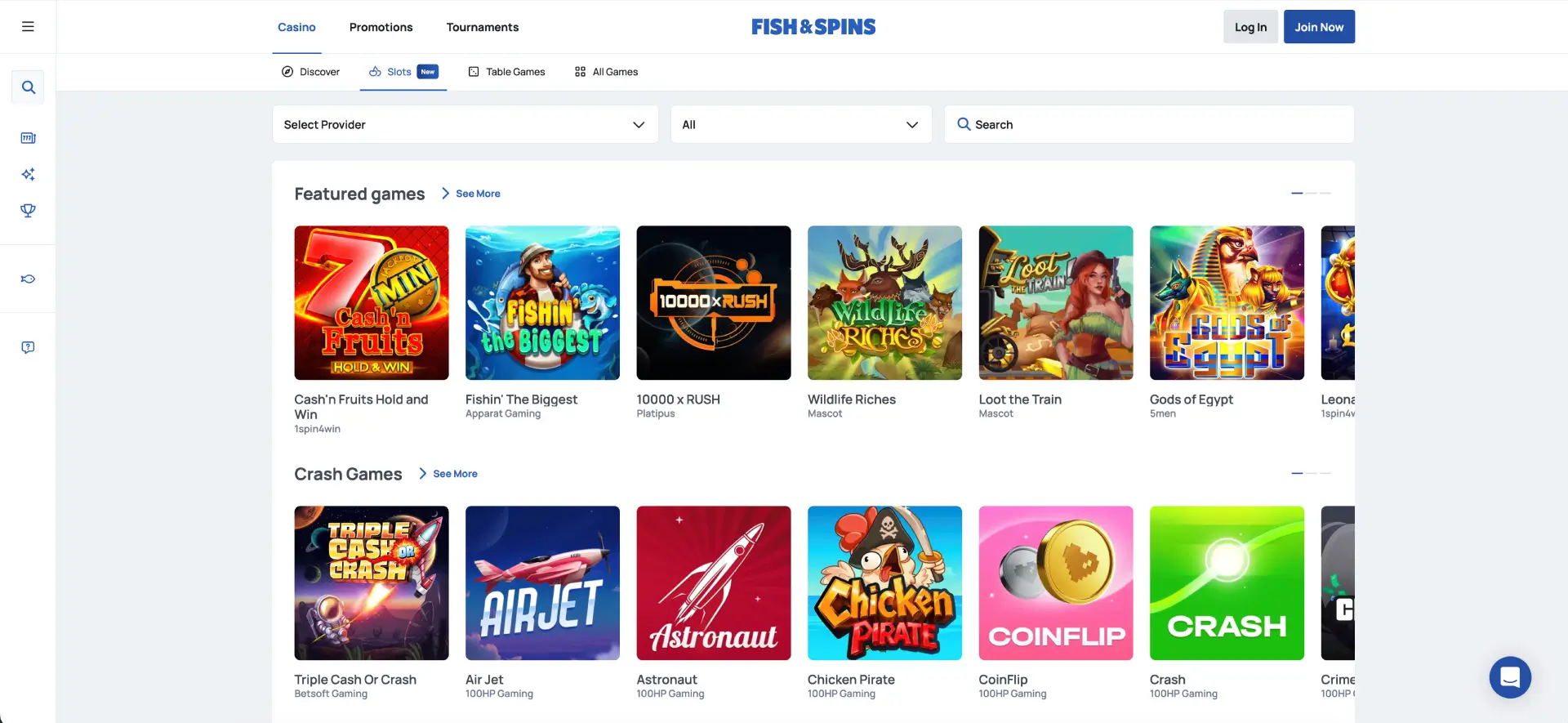
| Casino games | Slots are accessible on mobile |
| Promotions | Bonus, tournament and VIP areas are available |
| Cashier | GBP account functions open in the browser |
| Software updates | Applied automatically to the website |
Using Fish and Spins on iPhone and iPad
iOS access starts in a normal web browser rather than the App Store. Safari provides the clearest route for making a shortcut, although Chrome and Firefox can also open the casino. The same account credentials used on a computer apply on an iPhone or iPad.
To create a Safari home-screen link, follow these steps:
- Open the Fish and Spins website in Safari.
- Use the Share control in the browser toolbar.
- Choose the option to add the website to the home screen.
- Review the displayed label and confirm the addition.
- Return through the new icon whenever browser access is required.
The shortcut launches the current web version, so it does not need manual updates. If the icon stops opening correctly after browser data is cleared, removing it and creating a fresh shortcut usually restores the direct route. Saved login details should only be used on a personally controlled device.
Android browser and shortcut setup
Android users can open Fish and Spins with Chrome, Firefox or another current browser. There is no need to enable installation from unknown sources. That matters because files promoted as a Fish and Spins APK are not part of the mobile route described by the casino setup.
A typical Chrome shortcut takes only a few browser actions:
- Load the Fish and Spins website in Chrome.
- Open the browser menu.
- Select the home-screen shortcut option.
- Confirm the name and placement of the icon.
- Open it once to ensure it leads back to the expected address.
Menu wording can vary with the Android version and browser. A shortcut may open as a dedicated-looking window or as an ordinary tab, but both routes use the website. Players who prefer not to add an icon can save a bookmark instead and retain exactly the same casino functions.
What works in the mobile casino
Mobile access is more than a reduced game list. The browser provides the main navigation needed to browse the account, use the cashier and review promotions. Screen size changes the arrangement, yet it does not create a separate mobile balance or profile.
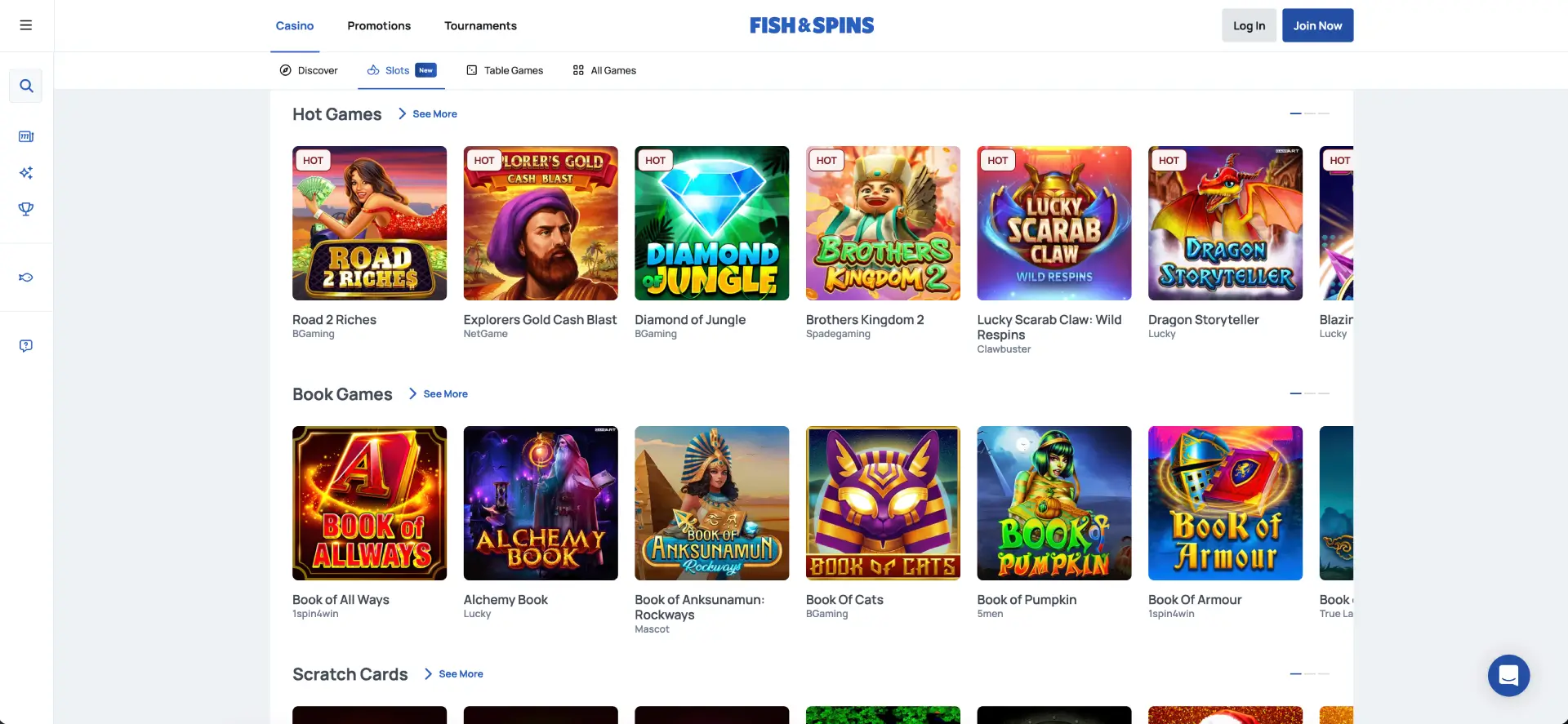
- Slots: the game area is available on phones and tablets, including titles covered in the Fish and Spins slots guide.
- Categories: Discover, Slots, Table Games and All Games organise the catalogue.
- Offers: welcome bonus, tournament and VIP sections can be opened from the mobile menu.
- Account: registration, sign-in and account checks use the same profile as desktop access.
- Cashier: deposits and withdrawal requests are managed from the browser account area.
Games still depend on the device, connection and browser. Closing unused tabs can leave more memory available for the lobby, while keeping the browser current helps with compatibility. Landscape orientation may provide more room for controls on smaller phones, though account pages are generally easier to read vertically.
Mobile login and account protection
The Fish and Spins login uses the existing email-based account flow. Entering through a browser means the address bar is an important security check: avoid results, messages or download pages that imitate the brand, and do not enter credentials after following an unexpected link.
A secure mobile routine includes a unique password, an up-to-date operating system and a private connection for account activity. Public Wi-Fi is a poor setting for cashier use or identity-document uploads. When a shared tablet or phone must be used, do not save the password and sign out fully after the session.
Verification may be required before withdrawals. Documents should be submitted only through the protected account process when requested. Camera images need to be readable and complete; cropping away document edges or sending mismatched details can delay an account review.
Deposits and withdrawals from a phone
The mobile cashier is designed around GBP account access. Available methods can depend on what the cashier supports for the individual account, so the final method list should be reviewed before money is sent. The minimum deposit stated in the Fish and Spins terms is 20 GBP.
| Method group | Mobile use | Check before confirming |
|---|---|---|
| Visa, Maestro and Mastercard | Available where supported in the cashier | Selected card and GBP account details |
| Bank transfer | Listed as a payment option | Bank details and transfer reference |
| Bitcoin, Bitcoin Cash, Dogecoin, Ethereum, Litecoin, XRP and TRX | Wallet transfer from the supported mobile route | Coin, receiving address and network |
Crypto transfers deserve an extra pause because sending the wrong asset or using an incompatible network is not the same as mistyping a reversible form field. Copy the address from the active cashier, compare its beginning and end, and check the selected coin before approval. For bank transfers, verify the beneficiary details displayed during that session.
Withdrawal requests also sit within the mobile account area. Fish and Spins lists a 20 GBP minimum withdrawal, alongside coin-specific minimums such as 0.0002 BTC and 0.01 LTC. Bank transfer timing is listed as 5–7 banking days. Account checks and correct payment information should be completed before treating that range as a personal schedule.
How to recognise a misleading APK
A claimed download should be treated cautiously because the supported route is browser-based. An APK offered through a file-sharing page, social message or pop-up can ask for device permissions unrelated to casino access. The absence of a native download also means there is no reason to turn off Android security controls to reach Fish and Spins.
Use this quick screening list before placing any casino shortcut on a phone:
- Start from the known Fish and Spins web address, not an attachment.
- Reject instructions to allow apps from unknown sources.
- Do not grant contact, text-message or accessibility permissions for a browser shortcut.
- Check that the shortcut opens the website rather than a downloaded installation file.
- Remove unfamiliar software and change the account password if credentials were entered into it.
The same principle applies to iPhone configuration profiles. Mobile browser use does not require a profile, certificate or device-management permission. A simple bookmark or home-screen link is sufficient.
Browser app or native app: practical differences
The browser model trades a store download for direct web access. This comparison clarifies what changes and what stays the same for a UK account.
| Question | Fish and Spins browser route | Native-app expectation |
|---|---|---|
| Installation | No installation package required | Software is installed from a store or file |
| Updates | The website updates automatically | App updates may be downloaded |
| Account | The same login and GBP balance are used | A native app may still share a web account |
| Home-screen access | Optional browser-created icon | Icon is created during installation |
| Safety concern | Imitation websites and false links | Imitation apps and unsafe packages |
For this brand, looking for a native installer adds no useful feature. The mobile website already covers the visible slots, promotions and cashier. Details of the headline offer belong in the Fish and Spins bonus guide, while the broader account and payment context is covered in the Fish and Spins Casino overview.
Fish and Spins is not licensed by the UK Gambling Commission and is not part of GamStop. Mobile access does not change that regulatory position. Gambling is for adults aged 18 and over; set a firm spending limit, take breaks and never use play to recover losses. Support and practical control advice are available from BeGambleAware and the site’s responsible gambling guide.
Fish and Spins Casino app FAQ
These answers cover the main installation, compatibility and account questions for mobile users.
Is there a native Fish and Spins Casino app?
No native Android or iOS download is shown. Fish and Spins runs through mobile browsers, and users can optionally create a home-screen shortcut that opens the current website.
Can Fish and Spins run on an iPhone?
Yes. Safari, Chrome and Firefox are listed as iOS access routes. Safari also provides a home-screen option for a quicker return to the casino without an App Store installation.
Which browser works on Android?
Chrome, Firefox or another modern browser can be used. Keeping the chosen browser updated helps maintain compatibility with the lobby, login panel and cashier.
Should a Fish and Spins APK be installed?
No APK is required for the supported mobile route. Do not weaken phone security or allow an unknown-source installation; use the casino website in a normal browser instead.
Are slots and bonuses available on mobile?
Yes. Slots and the bonus, tournament and VIP areas are accessible through the browser. Eligibility and active promotion terms should still be read before a deposit or game session.
Can GBP payments be made on a phone?
The GBP cashier is available on mobile. Cards are shown where supported, bank transfer is listed, and selected cryptocurrencies are available with the wallet and network checked before sending.
Does the mobile version need updates?
Website changes are applied automatically. A home-screen shortcut opens that updated version, so there is no separate mobile application package to maintain.
Is a separate account needed for mobile play?
No. The same email-based account is used across desktop and mobile access. Verification can be requested before withdrawals, regardless of which device opened the account area.
Note. Fish and Spins is not licensed by the UK Gambling Commission and is not part of GamStop. Offers and limits can change; the casino's terms apply. 18+.